Identity check
What may be requested
- Government-issued identity document
- Legal name, date of birth and identity number
- A live photo when requested by the verification partner
- A bank account name that matches the verified identity
Withdraw your rewards
Withdraw to a supported crypto wallet or bank account. Use crypto for smaller amounts or bank transfer to receive USD, EUR or GBP.
UP1 UP = 1 USDFees, availability and processing time depend on the selected route.
Unetwork handles withdrawals. Unetwork Club provides this guide but does not hold rewards, control payouts or collect wallet, bank or identity details.
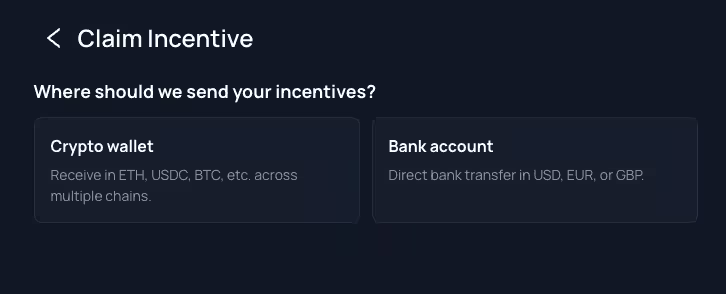
Three clear checks
Take a moment to confirm the destination. Crypto transfers may not be reversible, and incorrect bank details can delay a payment.
Open the portal and see how many UP rewards are available to withdraw.
Select a supported crypto wallet or bank account, then complete the identity verification shown in the portal.
Check the amount, fees, currency, network and payment details before submitting.
Choose your route
Both options use the same verified UP balance and require identity verification. The limits and payment details are different.
For smaller withdrawals
Complete identity verification, then send rewards to a supported wallet using the asset and network shown in the portal.
For larger withdrawals
Receive rewards by bank transfer after completing the required identity check.
Crypto wallet
Complete identity verification in the portal, then use the exact asset, network and wallet address shown for your destination. The options in the portal are the final source.
Open the withdrawal area and select Crypto wallet.
Follow the verification steps shown in the portal before continuing with your crypto withdrawal.
Choose an amount between 5 and 150 UP, subject to the options shown in the portal.
Use a supported asset and make sure the blockchain network matches your wallet.
Paste the destination address and check every character.
Check the amount, asset, network, fee and wallet address before confirming.
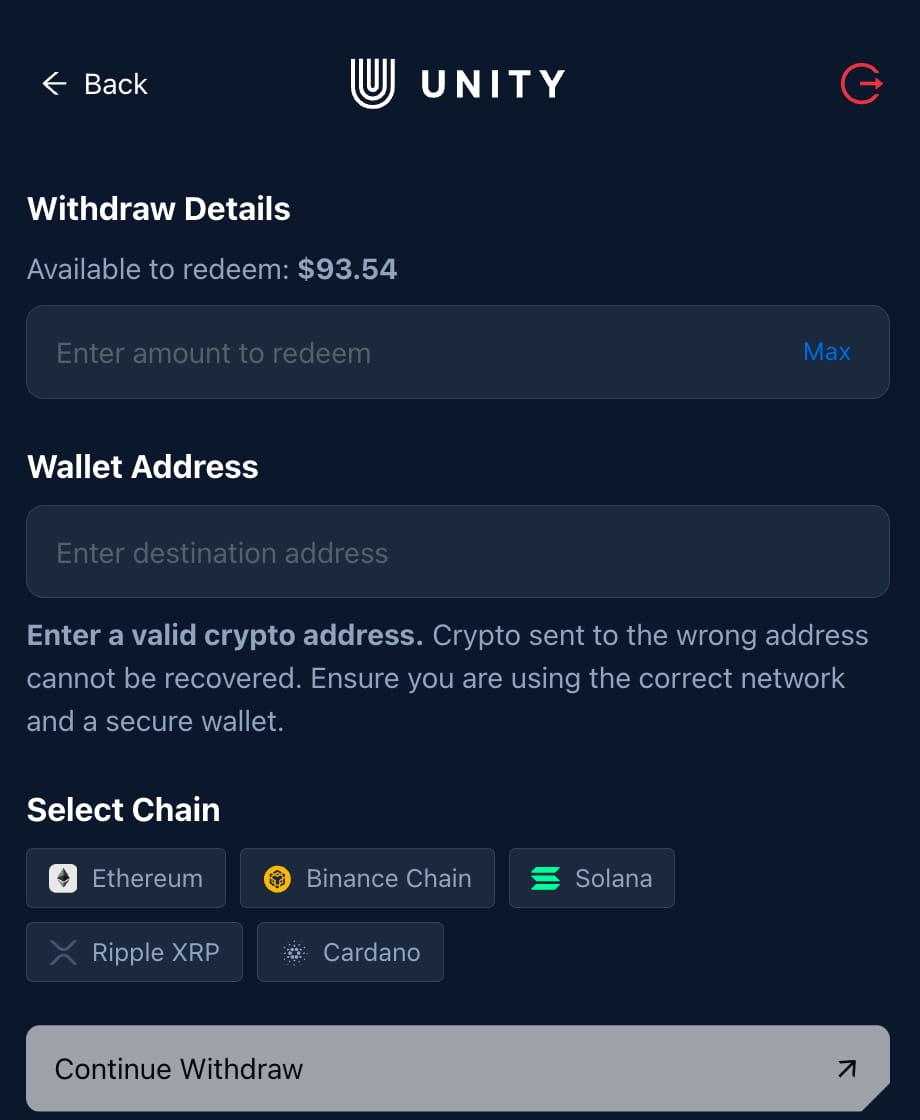
Identity verification is handled by the provider shown in the withdrawal portal. Unetwork Club does not receive or store identity or wallet details. Availability, processing time and fees depend on your selected route.
Before submitting
A correct address on the wrong network can still fail. Compare the wallet, asset and network before confirming. If rewards are converted into a variable-value asset such as ETH or BTC, its value can change.
Current availability
Updated Oct 28, 2026.
| Network | Asset | Status |
|---|---|---|
| BSC | BNBBNB | Unavailable |
| BSC | USDCUSDC | Available |
| BSC | USDTUSDT | Unavailable |
| Cardano | ADAADA | Unavailable |
| Ethereum | ETHETH | Available |
| Ethereum | SHIBSHIB | Unavailable |
| Ethereum | USDCUSDC | Available |
| Ethereum | USDTUSDT | Unavailable |
| Solana | SOLSOL | Available |
| XRP | XRPXRP | Available |
Bank account
Identity verification is required. Bank details must match the verified person or business.
Identity verification and bank details are handled by the provider shown in the withdrawal portal. Unetwork Club does not receive or store this information. Availability, processing time and fees depend on your country and selected route. Your bank may convert the transfer if the selected currency differs from the account currency.
Open the withdrawal area and select Bank account.
Choose your country and complete the verification steps shown by the partner.
Use a bank account whose holder name matches the verified person or business.
Enter 200–1,000 UP and select USD, EUR or GBP when available.
Check the amount, fees, currency and bank details before confirming.
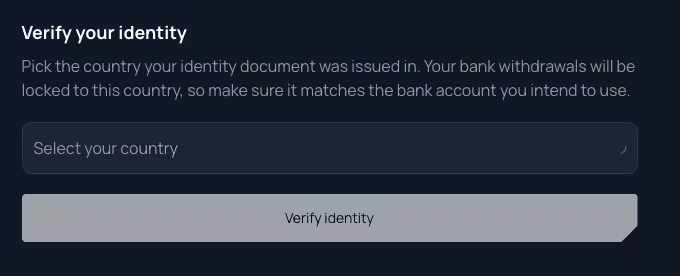
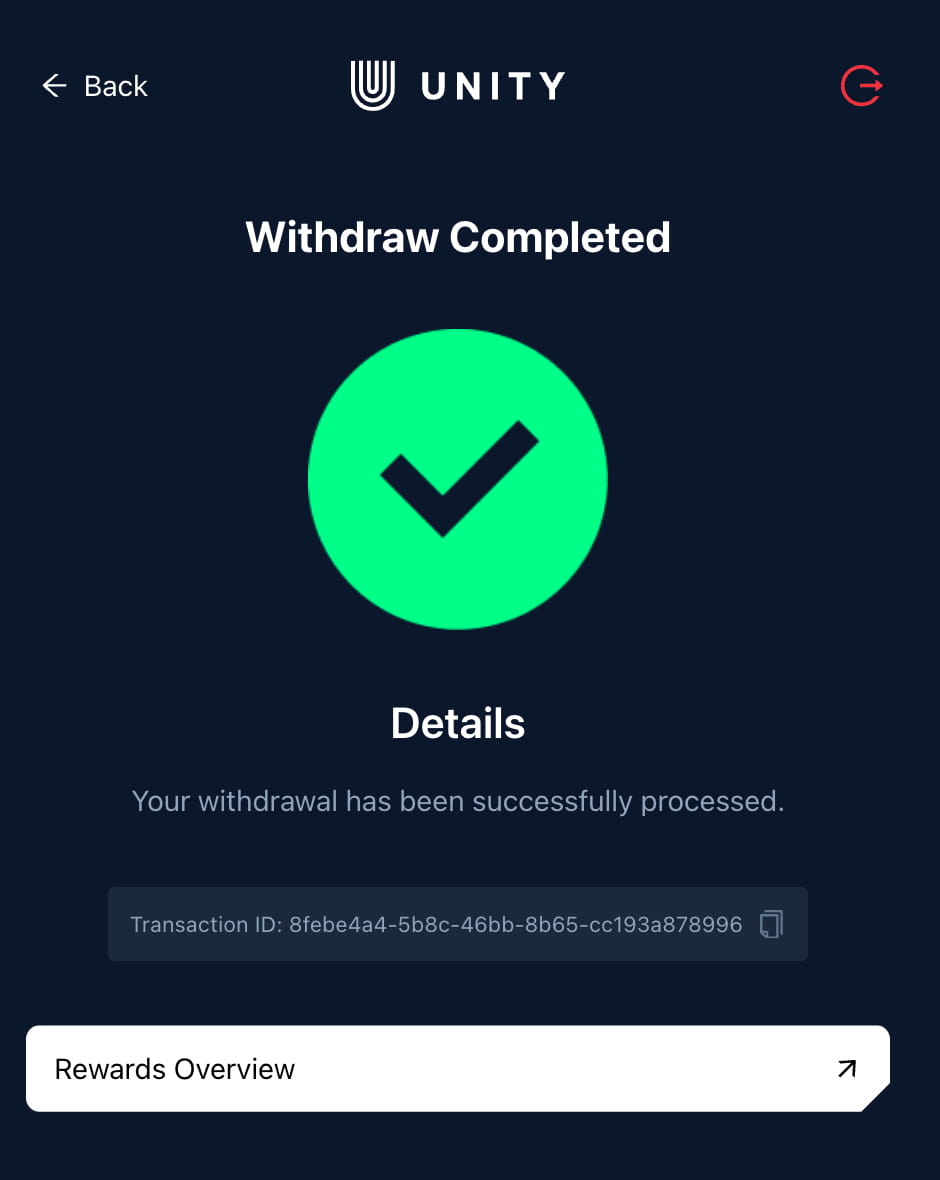
Identity check
Bank account
Before submitting
Incorrect or mismatched details can delay or reject a bank withdrawal.
Support
Never share a one-time code, wallet recovery phrase or private key with support.
Simple answers
Limits and available routes can change. Check the portal before confirming.
For the withdrawal guidance shown here, 1 UP equals 1 USD. Review the final currency conversion and fees in the portal before submitting.
Crypto wallet withdrawals start at 5 UP and currently have a maximum of 150 UP per withdrawal.
Bank withdrawals start at 200 UP. The maximum is 1,000 UP per withdrawal and 1,000 UP within 24 hours.
Identity verification is required for every reward withdrawal, including crypto wallets. Select your route in the portal and complete the steps shown before submitting.
The bank route supports USD, EUR and GBP when those currencies are available for your account and country.
Wait until enough verified rewards are available for the route you want to use: 5 UP for crypto or 200 UP for bank transfer.
Timing and fees depend on the route, network, currency, country and payment provider. Review the current estimate and fee shown in the portal before submitting.
Use Unetwork Support for withdrawal, account and app help. Use UNO support for licence and setup help.
Ready to withdraw?